Archiving Settings
Admin and Forensic users only
Sensitive or commercial-in-confidence files are often stored for long periods of time, where in reality, they are no longer required or relevant and should be permanently deleted - never to be retrieved by anyone.
SureDrop allows files that have been purged or deleted for a specified period of time to be permanently deleted.
To set alternative archiving parameters, open the Admin functions and click on the Archiving Settings link to display the window illustrated below:
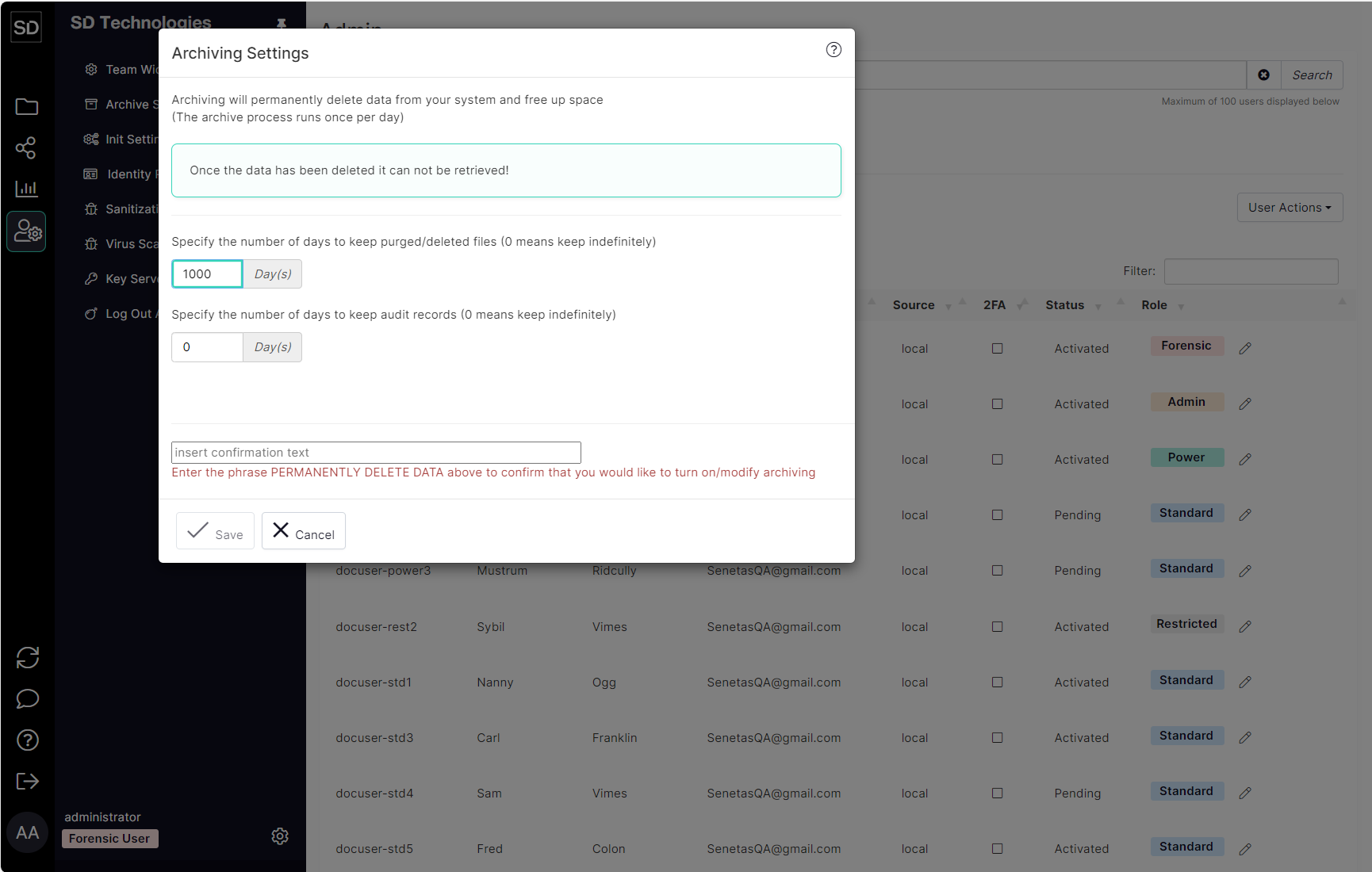
Enter the number of days that you want your Team’s files to be retained after deletion or purging.
The default is ‘0’ which means the files are kept indefinitely.
Any value entered will be the number of days for which the files are kept.
A ‘day’ is calculated as the 24-hour period from the time that a value - other than the default - is entered and saved.
In order to confirm that you wish to change the settings related to archiving your Team’s files, you must enter the required phrase into the field at the bottom of the Archiving Settings window.
When you have typed in the specified text, the Save button will be enabled.

Click on the Save button to confirm your changes.
