Delete users from a group
The roles of members can change over time or staff may resign or retire from a company.
Members can be simply removed from a group as required.
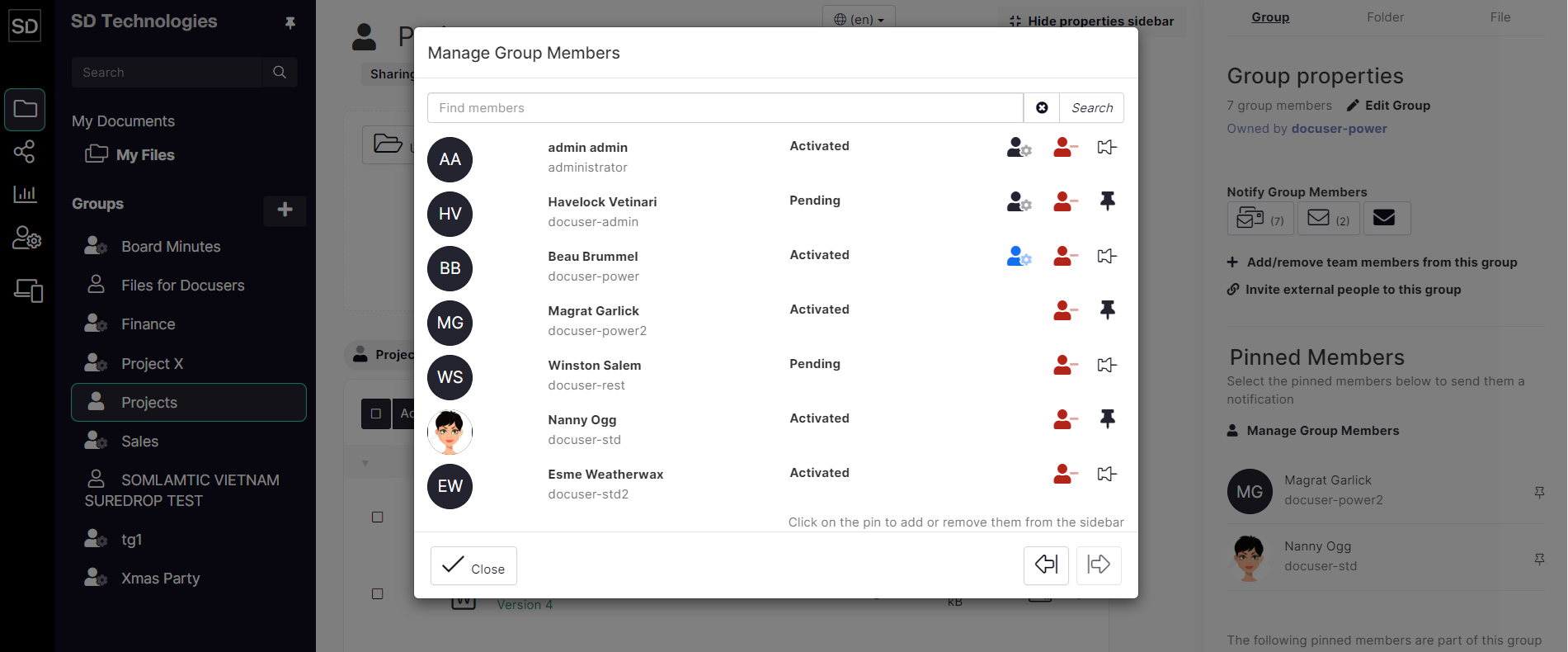
Click on the Manage Group Members link to display the list of members.
In the example shown, there are seven members in the group, three of whom have been pinned to the Group Properties sidebar. Click on the red “head ‘n’ shoulders” icon next to the username to be deleted.
https://assets.suredrop.io/SureDrop-UserDocs-Images/SEN-SD-Group-GroupOwnership-Members.png
The member will be removed from the group and the total number of members shown at the top of the properties sidebar and in the Notify Group Member section will be reduced by the number of members that were deleted.