File Viewing Watermarks
When documents stored within SureDrop are viewed by members of a group, SureDrop creates a JPG image of each page that is shown in the built-in viewer.
An example of such an image is shown below:
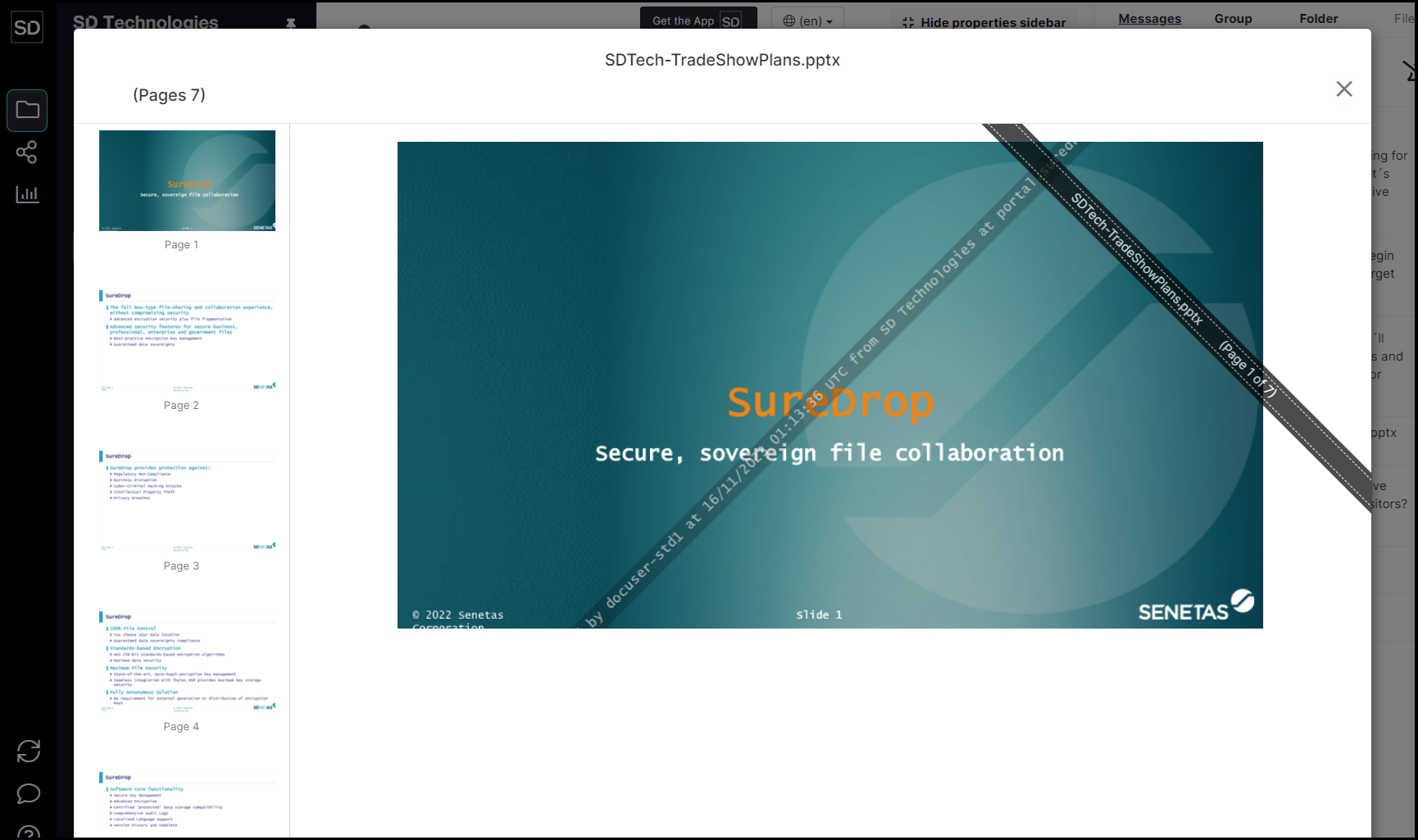
The default content of the watermark states that the file is being:
Viewed by {username} at {date_time} UTC from {company} at {region}
To amend the content of the watermark, select the Admin screen and then open the Team Wide Settings dialog.
Scroll down to the Watermark section of the dialog window.

Any text may be entered into the Watermark field.
Despite being able to leave the Watermark field blank, it is strongly recommended to input some information that might assist in the auditing process when necessary.
Make your required amendments and click the Save button to update the settings.

A message is displayed to indicate the changes have been implemented.
