Importing and exporting users
Users can now be manually imported to SureDrop via a delimited comma-separated text (CSV) file. Manually importing user records enables you to add multiple users in a single operation. Each line of the file represents a user record. The first line of the file defines the field headers.
This functionality is available only to Administrator and Forensic users of SureDrop.
Import/export file structure
In the uncommon scenario when the SureDrop administrator wants to manually create a CSV file, the file header must be userPrincipalName,displayName,surname,mail,givenName,mobile.
Field Name | Description |
|---|---|
userPrincipalName | This is the username used for logging into SureDrop, it could be their email address, for example, |
displayName | This is the name, for example, Rob.displayed on various screens within SureDrop. |
surname | This the user's surname, for example, Housman. |
This is the user’s email address, such as: | |
givenName | The user’s first name or name by which they are known, such as, Robin . |
mobile | The mobile/cellular telephone number for the user. This must begin with a + followed by the international calling code, for example, +34 555 987654 |
Import users
Click on Import Users and then navigate to the location on your computer or network where the .CSV file has been stored.
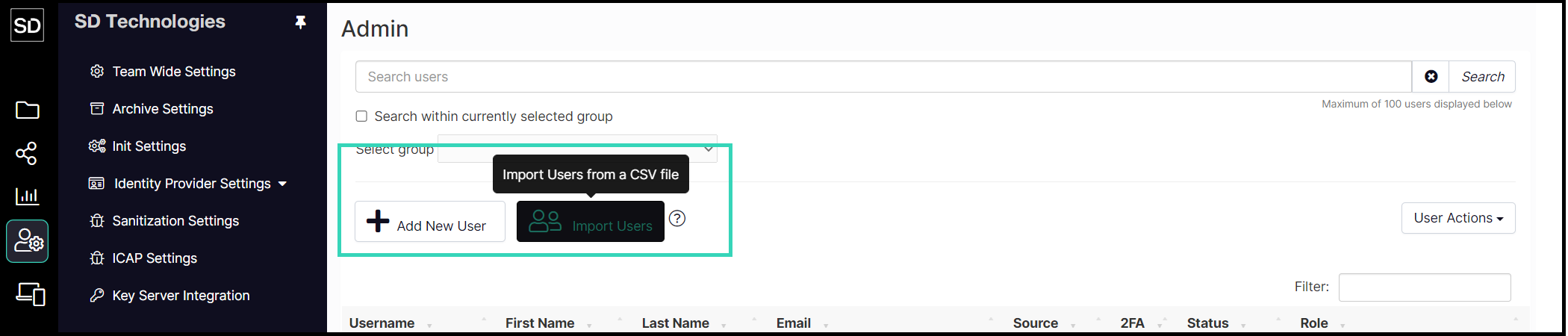
Select the appropriate file and the user account details will be brought into SureDrop.
By default SureDrop will assign the Standard role to every new user imported from the file. It will also send out an invitation email to the users with a link to activate their accounts.
The users will be force created by default.
(Any deactivated user account with the same username will be overwritten).
This import functionality in SureDrop was built for clients who cannot integrate their AD servers to SureDrop but still want a number of users to be added to the system at the same time.
Exporting users
Some identity providers such as Azure AD allow you to download a list of users.
https://docs.microsoft.com/en-us/azure/active-directory/users-groups-roles/users-bulk-download