Log Out All Users
In some circumstances, such as an employee leaving a company, it may be necessary to remove all access rights and usage of files, such as shares or links, that have been associated with that employee.
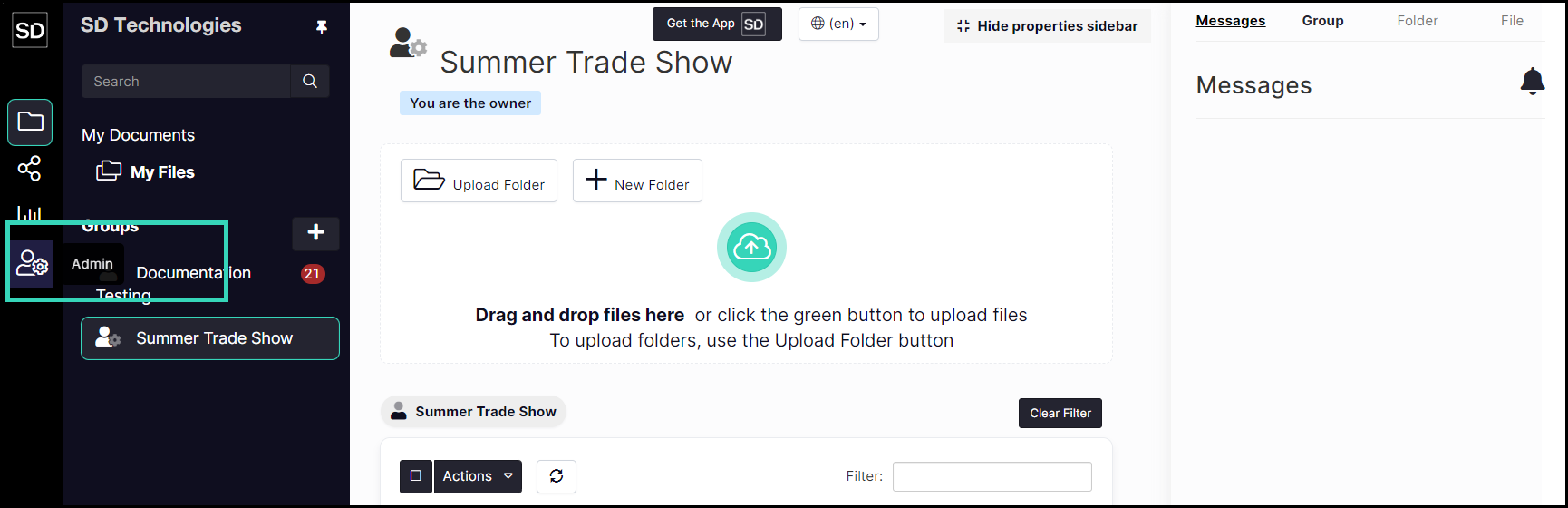
You can eliminate all access rights and any TAKINE associated with a SureDrop user through the Log Out All User functionality. Access the Admin controls by clicking on the Admin button in the left navigation panel.
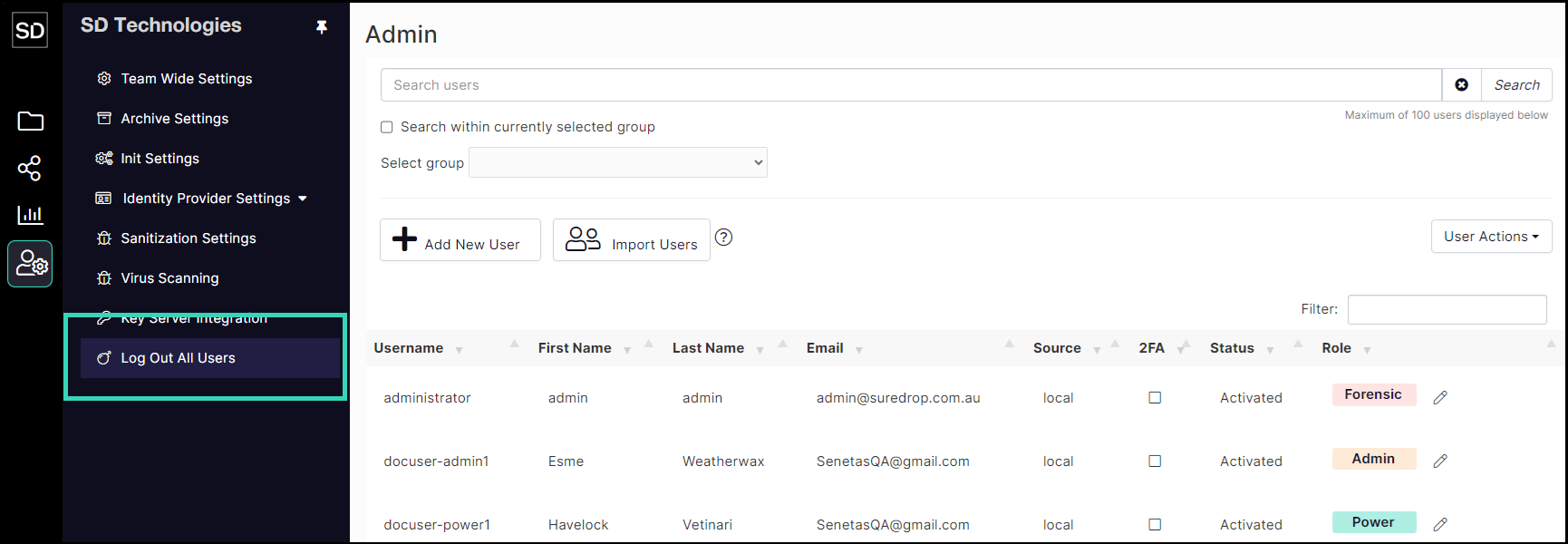
From the Admin page, click on the Log Out All Users button.
On the dialog window, there are three options that can be selected.
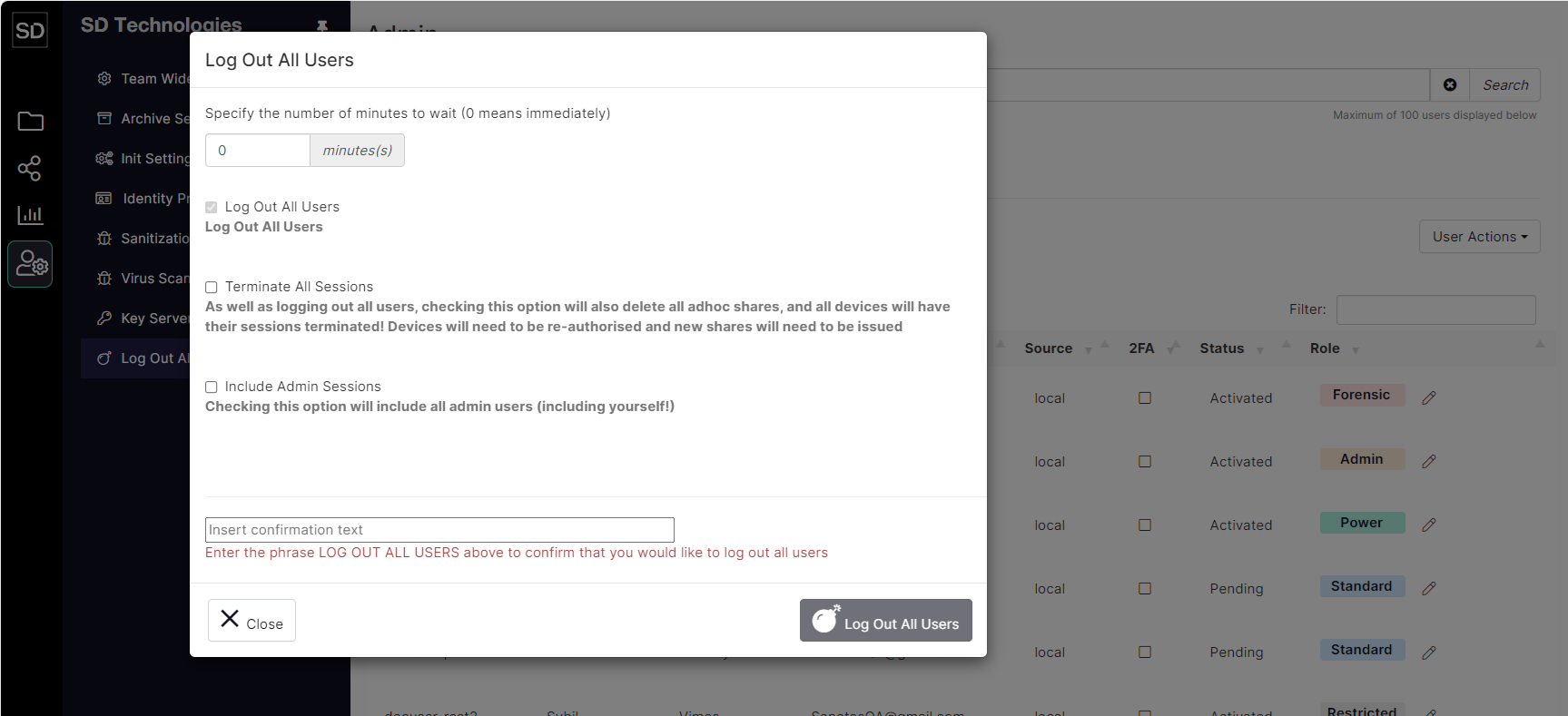
System-wide logout options
1. Specify the time delay until logout occurs
The default time delay until users are logged out is 0 (zero). This means that when the large Log Out All Users button is clicked, sessions are terminated immediately.

Any other value entered in this field is the number of minutes that will elapse before accounts are shut down. This would give time, for example, to notify members that all users are being logged out of SureDrop.
2. Terminate All Sessions
In addition to logging out users, selecting this option will also delete any shares that have been created by users and the registration details of any devices, such as mobile phones and laptops, that have been linked to your instance of SureDrop.

3. Include Admin Sessions
You can also choose to include administrator sessions in the accounts to be terminated. This will mean that you will need to log back in to SureDrop and also re-register any of your devices that you will be using to access your SureDrop instance.

Commit Log Out All Users
You must be certain that you REALLY want to use this feature.
Once the final button is pressed:
all members of your Team will be logged off
all devices, such as mobile phones and laptops, will need to be re-registered
all links and ad hoc shares will be cancelled
To enable the Log Out All Users button, enter the required phrase into the Insert confirmation text field.

Type in or “cut and paste” the correct text into the field and click the Log Out All Users button to implement the action.
