Messages
SureDrop incorporates an encrypted messaging system that allows members of a security group to quickly communicate with other members of the group.
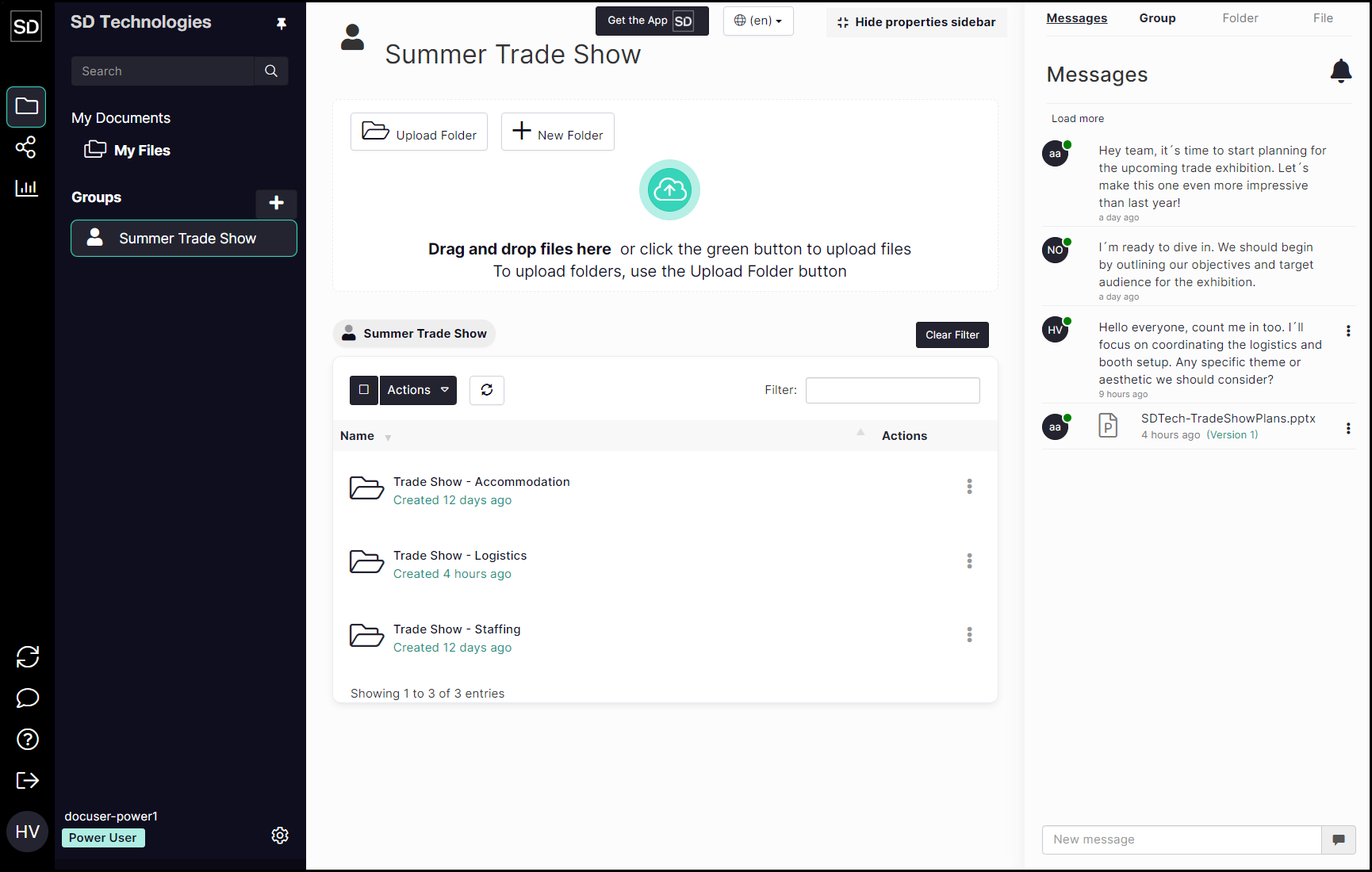
When you access any group within SureDrop, the Properties Sidebar initially displays any messages that have been sent between members of that group.
An example of such a display is shown below:
https://assets.suredrop.io/SureDrop-UserDocs-Images/SEN-SD-PropertiesSideBar-Messages-Initial.png
In the Group list in the
If there are no messages, the title word will not be highlighted.
If messages are not shown, select the Messages title at the top of the Properties sidebar.
If there are no messages, the title word will not be highlighted.
