Notifications
The Dashboard also displays a summary of recent activity within a group.
Usage summaries
Clicking on any of the buttons - for example, View All Document Notifications.
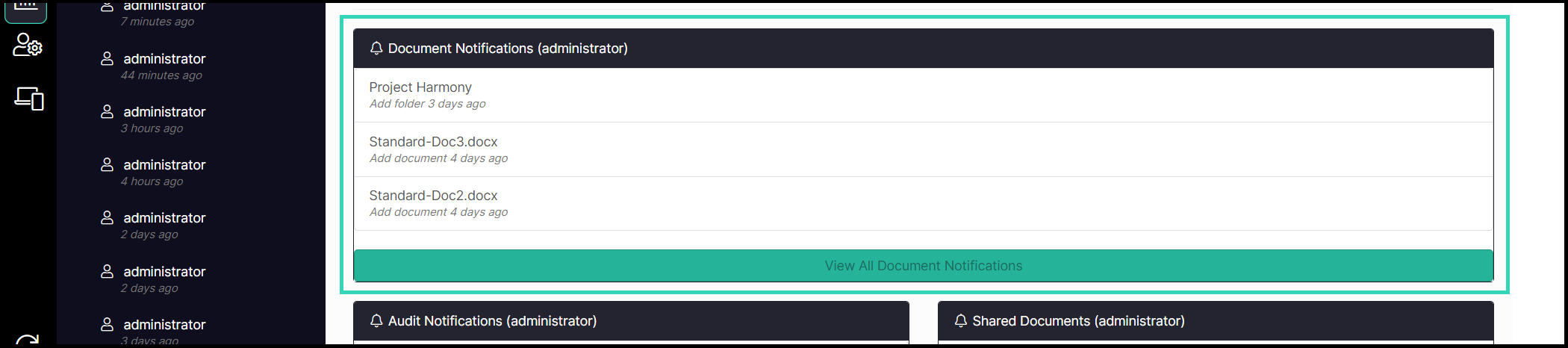
This will display that information for all users.
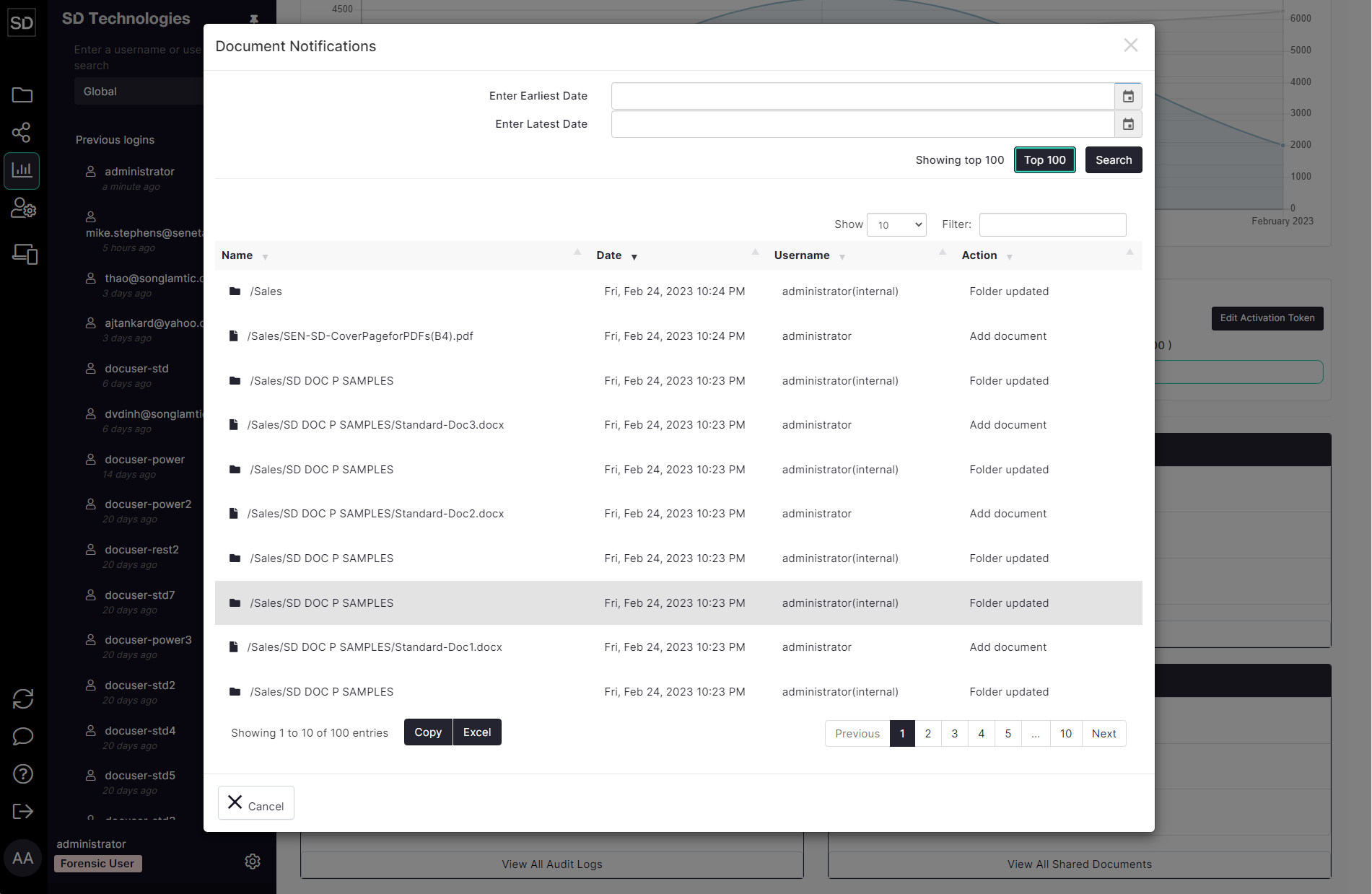
Click the Excel button to download the usage data from the pane to a Microsoft Excel format file.
Users with administrative privileges can also select an individual user from the left-hand navigation panel and see all activity related to that person.
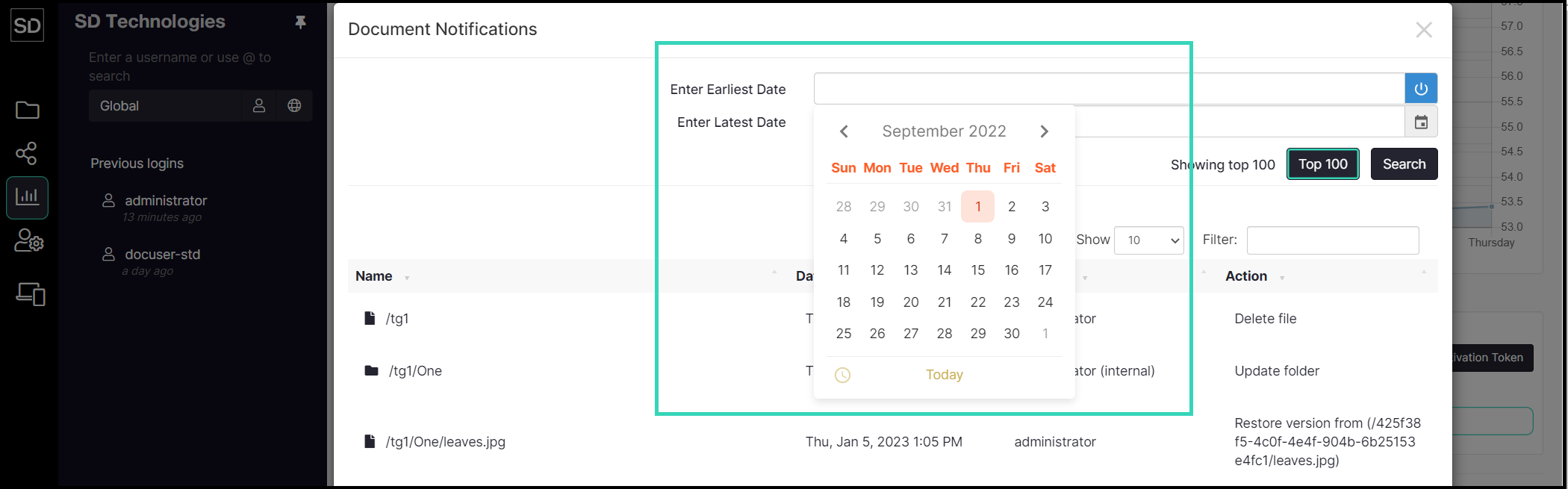
If there are a large number of records involved, you can restrict the period of time to be searched in order to reduce the number displayed.
Click on the calendar icon at the end of the Enter Earliest Date field and then select the required date. Select the end date of the search period in a similar manner via the Enter Latest Date field.
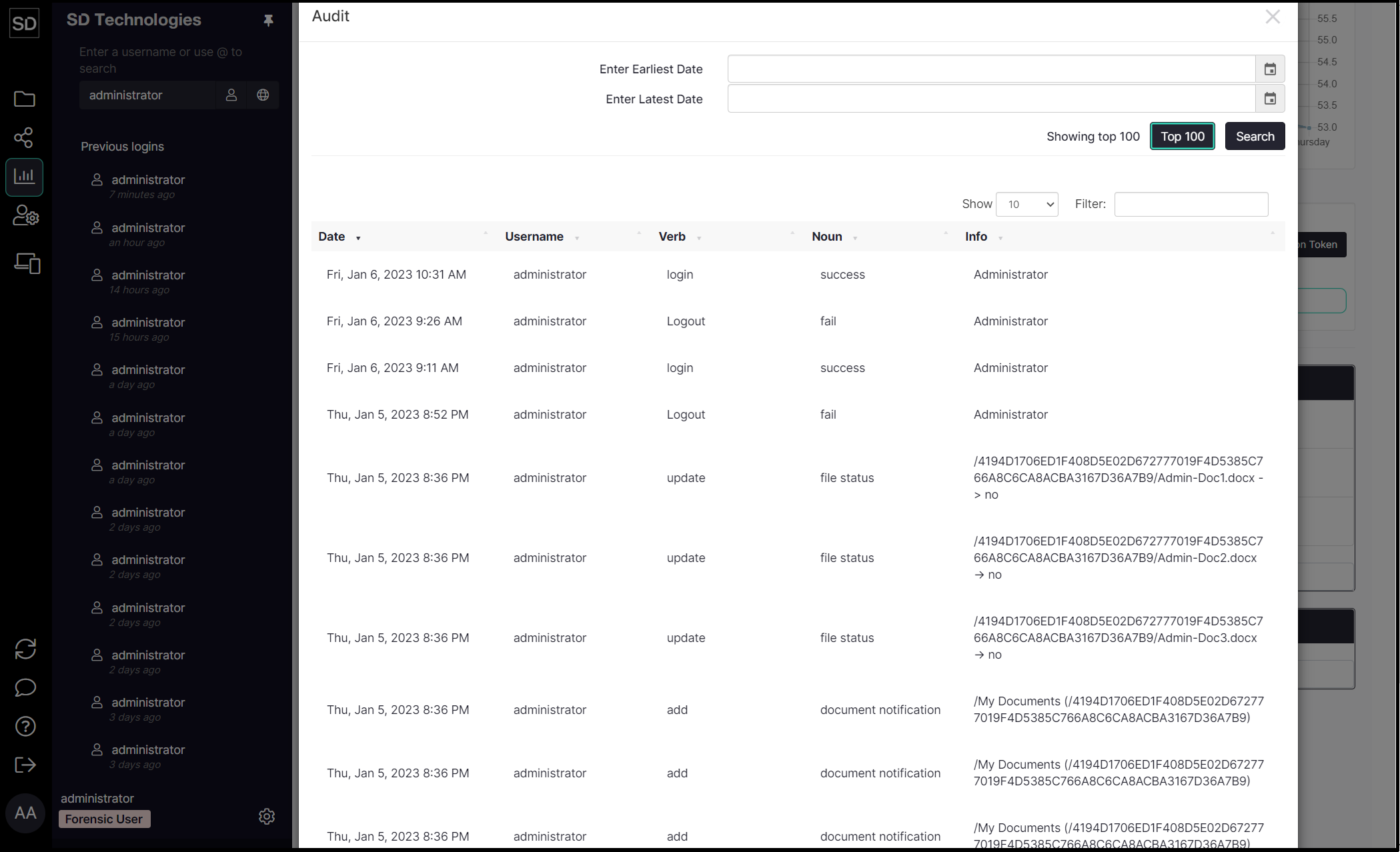
You can view a log of events that have occurred to files stored by your Team. These can be for all users or for a specific selected user.
Click on the View All Audit Logs button.

Similarly, you can view a list of all the documents that have been shared.
Click on the View All Shared Documents button.
