SureDrop File Processing
Within a security group you can store files and have many levels of folders and sub-folders.
Each security group uses a unique group key as the root of trust to encrypt the stored files. Files can be cut, copied and pasted in any folder within a security group but not between security groups as they use different root encryption keys.
The functions associated with document content are as follows:
Importing files into groups
Downloading files from groups
Downloading files as a zip files
Editing files
Deleting files
SureDrop files can be held either on-premise or in the cloud. Files are encrypted using AES 256-bit keys and held in a fragmented form (as 'shards') to ensure that the content is completely protected.
As a user of SureDrop you have access to facilities that allow you to do the following:
File importing - SureDrop allows you to import individual files or the content of folders from your external systems to a defined set of folders within the storage system.
File editing - the file editing facilities provided by SureDrop allow the editing of files held within the encrypted data store.
File downloading - SureDrop allows you to download files from a document group to a location that exists on the user’s computing system.
File sizes
SureDrop does not impose a limit on the size of the file you can upload and share.
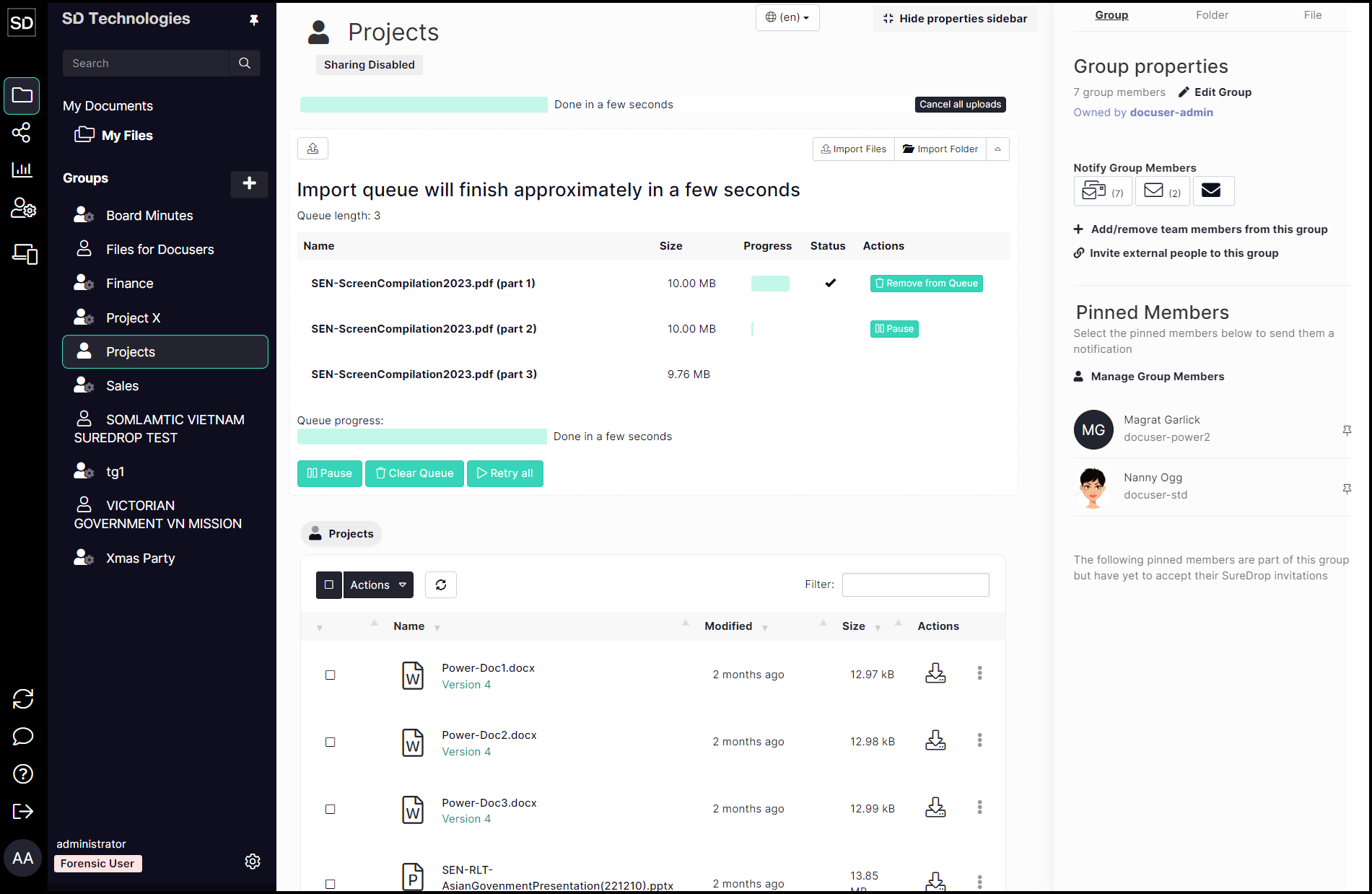
Larger files (less than 100Mb) are broken into 10Mb 'chunks' which are downloaded and automatically re-assembled to create the file. Files larger than 100Mb, are divided into 100Mb chunks.
The Upload Queue shows each of the chunks so that you can monitor the progress.
File Sanitization
Sanitization is an optional SureDrop feature which, when enabled, provides automatic file content disarm and reconstruction (CDR) using the Votiro disarmer. CDR can be enabled and disabled by the administrator and access to a licensed Votiro disarmer is required.