User Management
This section provides information that will guide you in the management of your SureDrop users.
The areas covered include:
Managing users
Sending invitations
Activating a user account
Logging in and passwords
Selecting user accounts to edit
SureDrop maintains a list of all users and the owner of a group, or a Team member with administrator privileges, can execute actions associated with selected users.
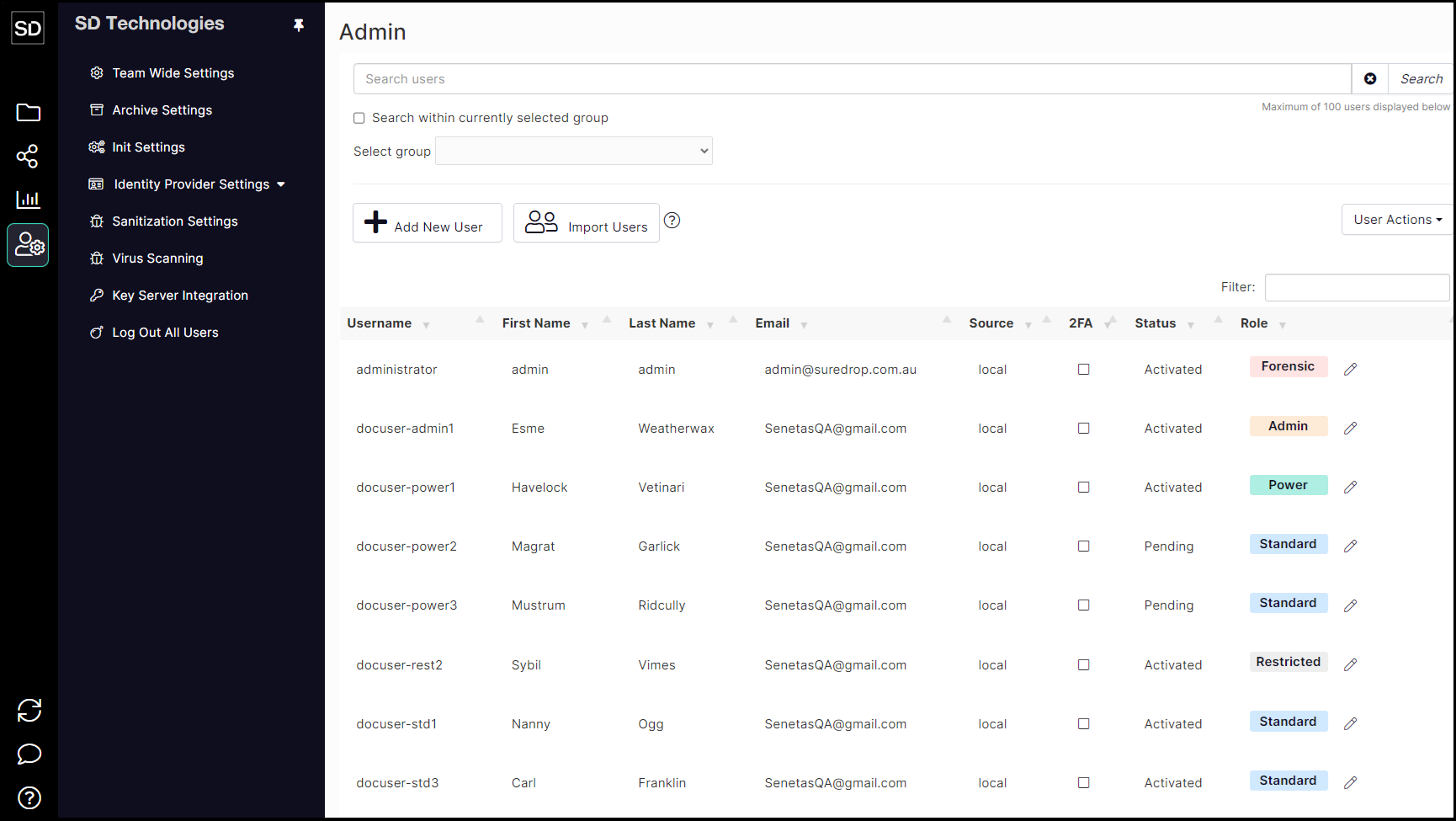
https://assets.suredrop.io/SureDrop-UserDocs-Images/SEN-SureDrop-Admin-UserListExample.png
Here is an example of the user list which is selected via the 'Edit User' button which has a 'filter' field that allows you to select entries based on the name of a user.

https://assets.suredrop.io/SureDrop-UserDocs-Images/SEN-SureDrop-User-EditUserButton.png
The User Action selector allows you to perform various operations based on the contents of the user list.

User Action button
the 'Select All' and 'Deselect All' actions select or deselect all users in the list. Individual entries can then be used to refine the selection.
the 'Add selected' and 'Remove selected' actions add or remove the selected users from the current group.
the 'Only Members' action removes all of the current users and add just those that have been selected.
'Send Invite' is used to send an invitation to join the current group to all of the selected users.
'Activate selected users'